
DeckSync
Keep every Stream Deck on the same page, or send each deck to its own page.
Connect two or more Stream Decks to the same computer, and DeckSync keeps their pages in step: turn a page on one deck and the others follow.
- For
- Two or more Stream Decks on the same computer
- Runs on
- Stream Deck app 7.1 or newer, on Windows 10 or newer or macOS 12 or newer
- Privacy
- Runs entirely on your computer. No network requests, no data collected.
- Licence
- Open source, MIT
- Status
- Coming soon
What it does
Tap a picture to open it in full size.
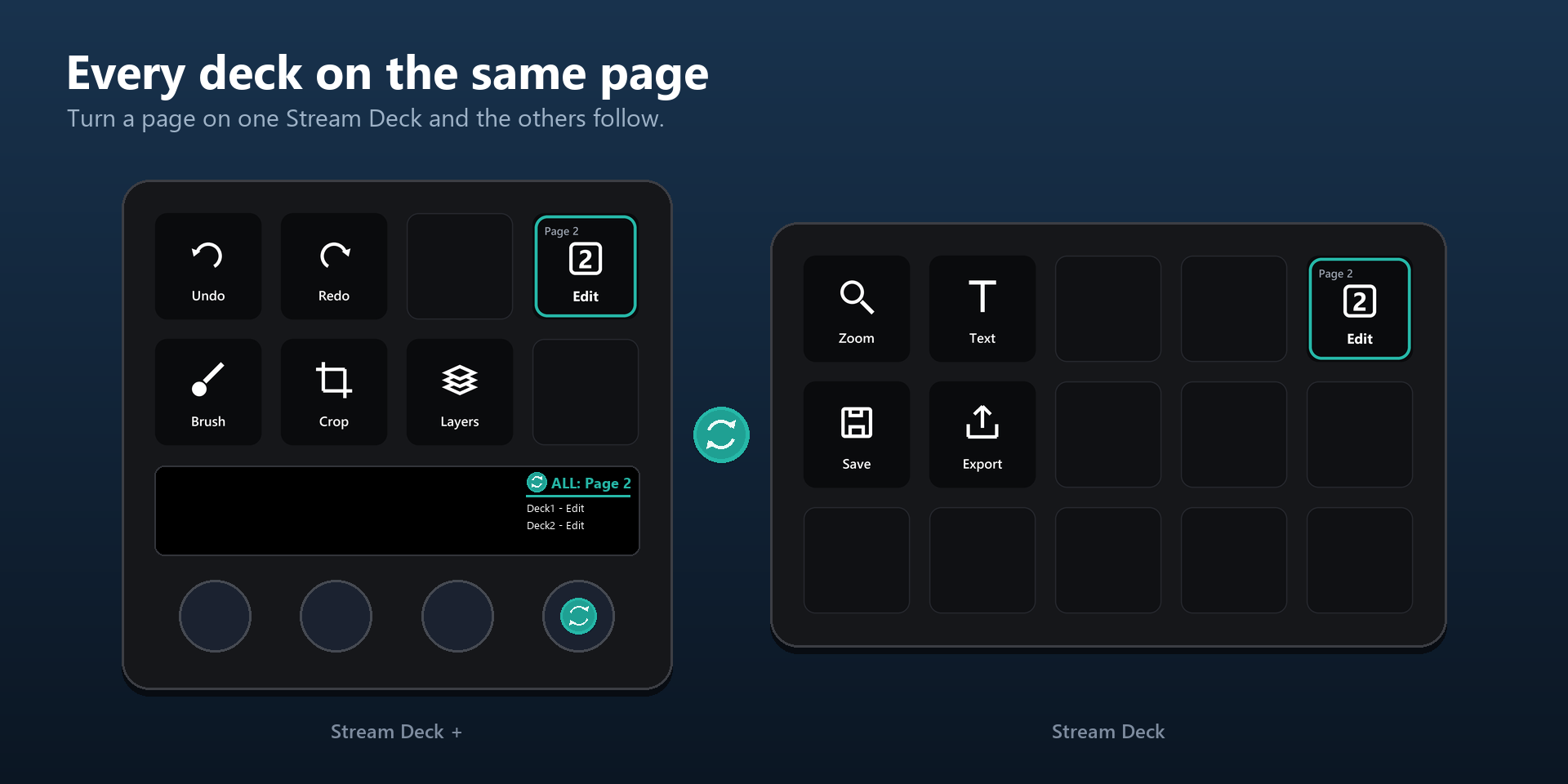
Follow mode
Every page in a DeckSync profile carries a page marker. When a page appears on one deck, the other decks jump to the same page.
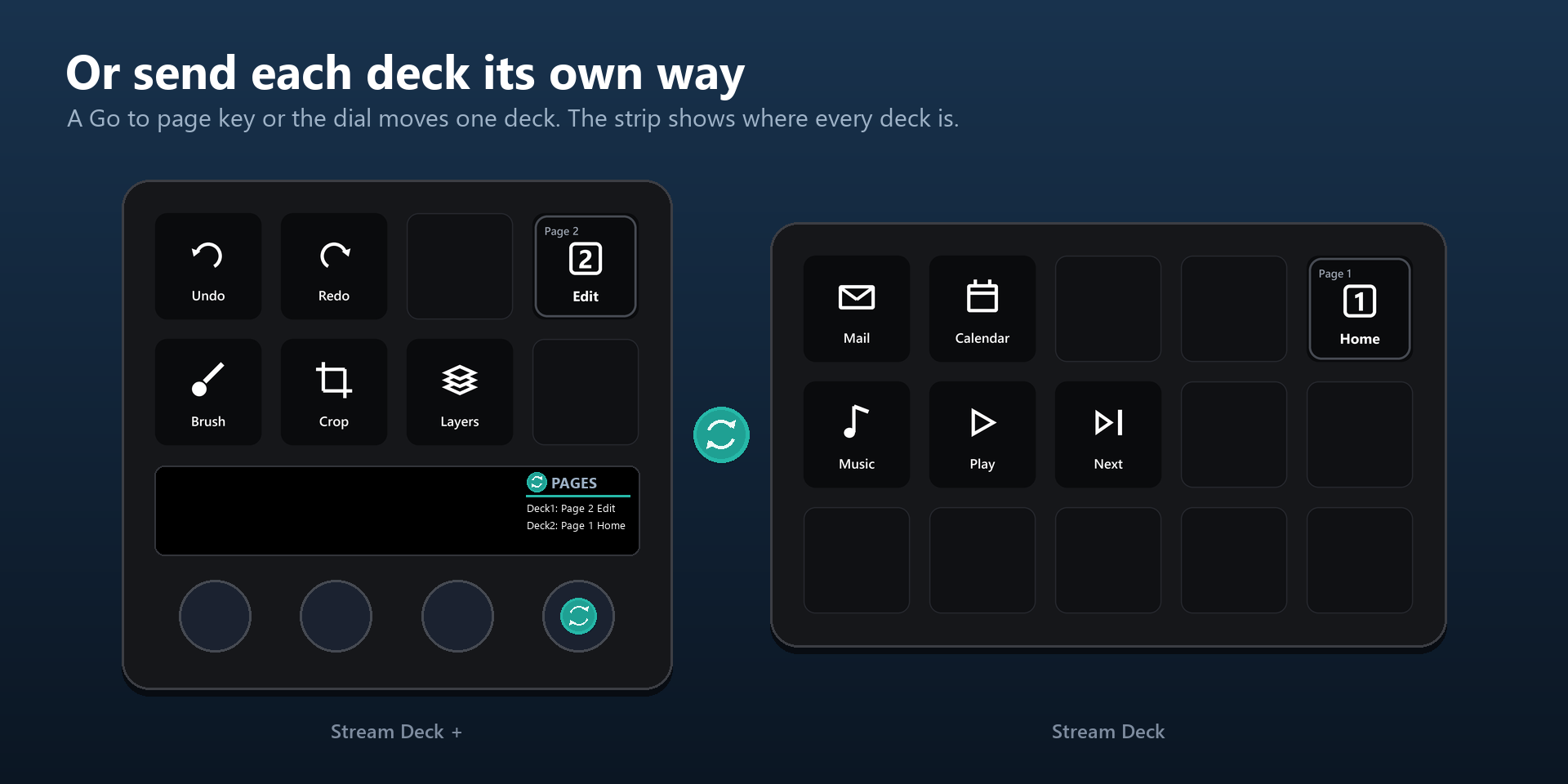
Split
A Go to page key or the page dial sends each deck to the page you pick. The frames turn grey, and the strip lists where every deck is.
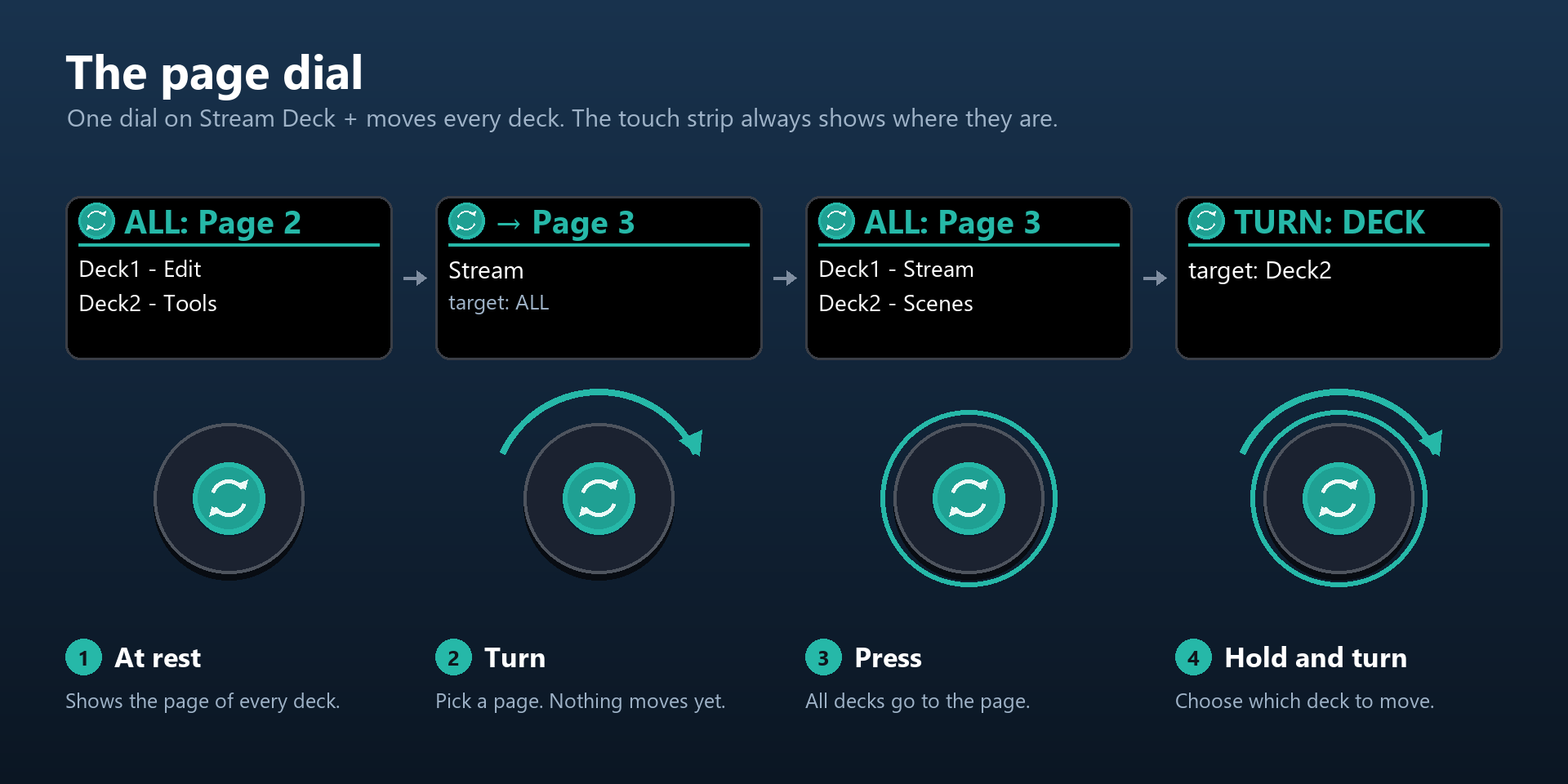
Page dial
On a Stream Deck +, turn to pick a page, press to go there, and hold and turn to choose the target: all decks or a single one.
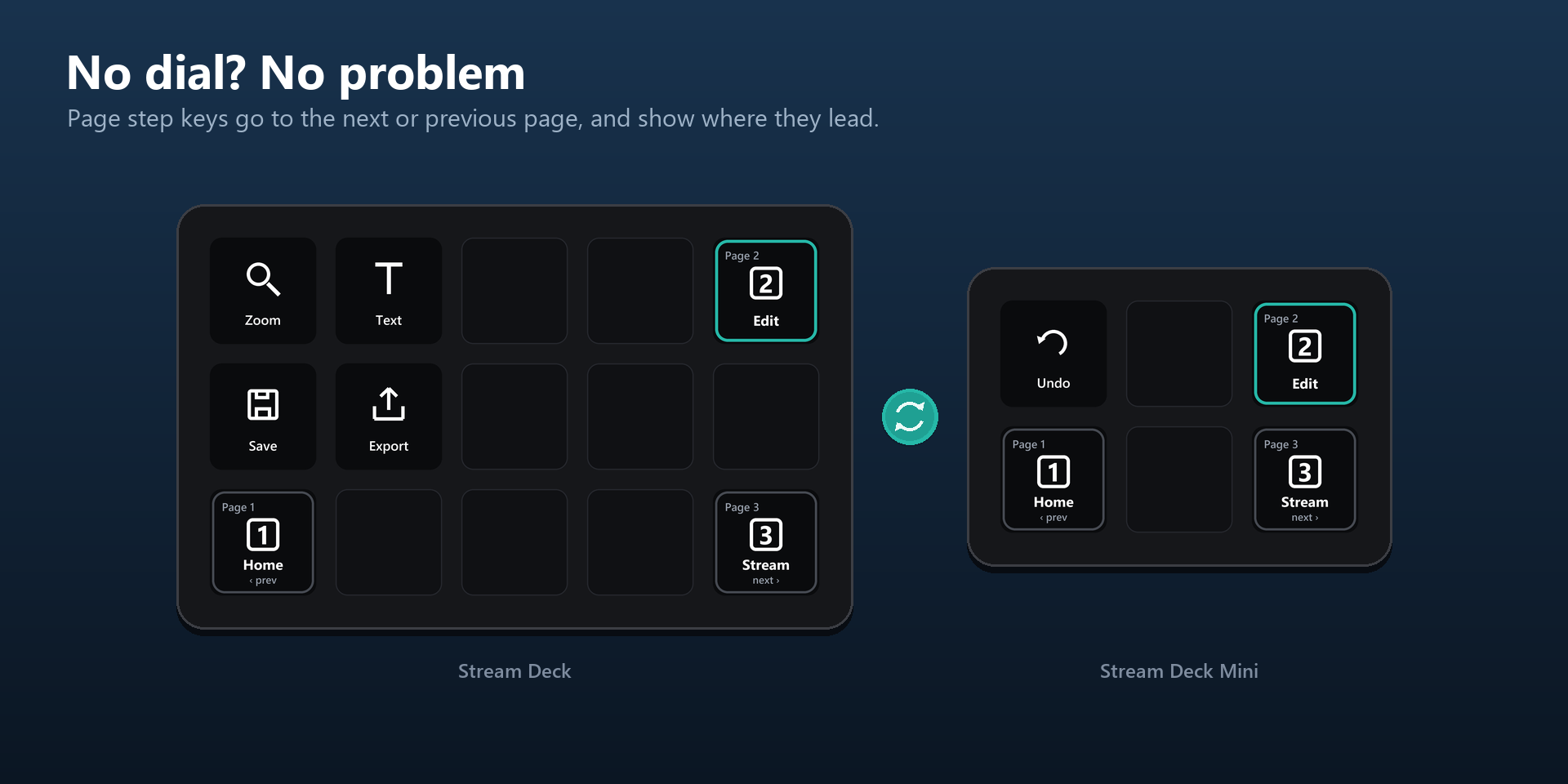
No dial required
On decks without a dial, Page step keys go to the next or previous page and show the page they lead to.
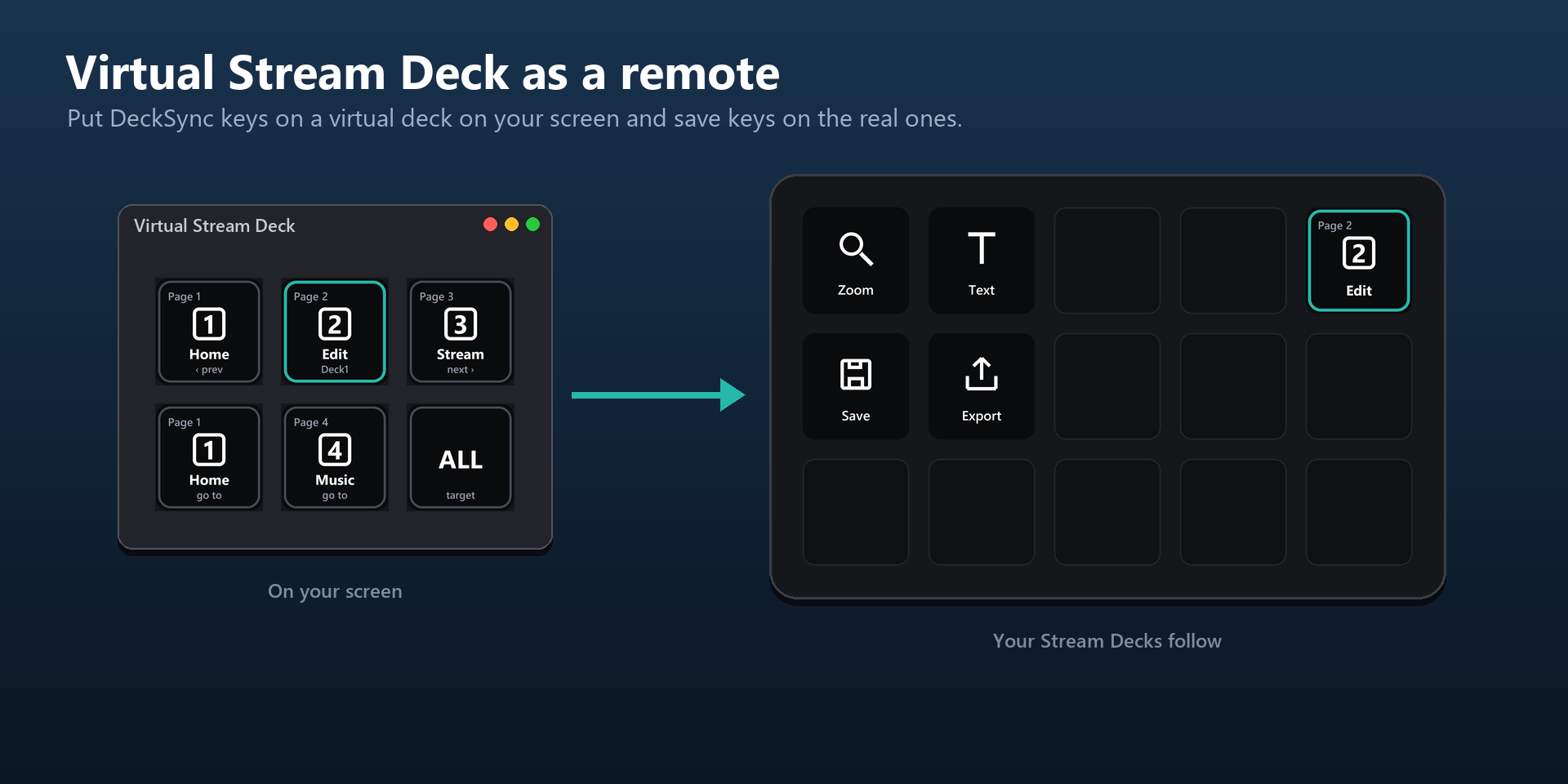
Virtual Stream Deck as a remote
Put DeckSync keys on a virtual deck on your screen and control the physical ones from there.
Supported devices
DeckSync ships a ready profile for every supported device type and installs it the first time a deck is seen.
| Device | Keys | Notes |
|---|---|---|
| Stream Deck (MK.2, Scissor Keys, Module 15) | 5 × 3 | |
| Stream Deck Mini | 3 × 2 | |
| Stream Deck XL | 8 × 4 | |
| Stream Deck + | 4 × 2 + 4 dials | Page dial pre-placed on dial 4 of every page |
| Stream Deck Neo | 4 × 2 |
Know before you install
- It syncs its own profilesYou build your pages inside the DeckSync profiles. A deck that shows another profile drops out of the sync until it comes back.
- A marker on every pageFollow mode needs the page marker. Delete a marker and that page stops announcing itself.
- Ten pagesThe DeckSync profiles have 10 pages each.
Changelog
Fetching the changelog from GitHub.
The changelog is kept on GitHub: all releases.
Issues and feature requests
Fetching the open issues from GitHub.
Kept on GitHub: all issues. Report a problem or ask for a feature.
Documentation and help
The README on GitHub has every action with its settings, getting started, and troubleshooting.