CueDeck
grandMA3 on your Stream Deck, and it shows your show.
Executors, cue lists, groups, presets, faders and programmer encoders, with their names, colours and state read live from grandMA3. It connects by itself.
- For
- grandMA3 2.5 or newer: onPC on Windows or macOS, or a console. Not grandMA2.
- Runs on
- Windows 10 or newer or macOS 13 or newer, with Stream Deck software 7.1 or newer
- Licence
- Paid download
- Status
- Coming soon
What it does
Tap a picture to open it in full size.
One key, whatever you point it at
One key action shows a group, a preset, a sequence, a macro, an executor or a Quickey, with the name and colour it has in grandMA3. Rename a group in the show and the key follows.
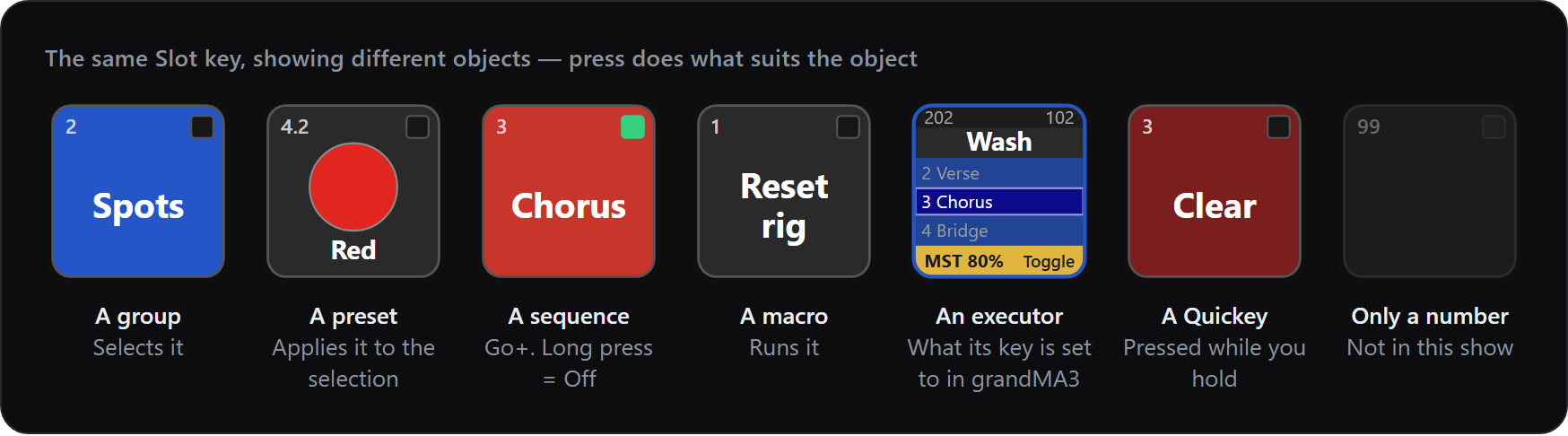
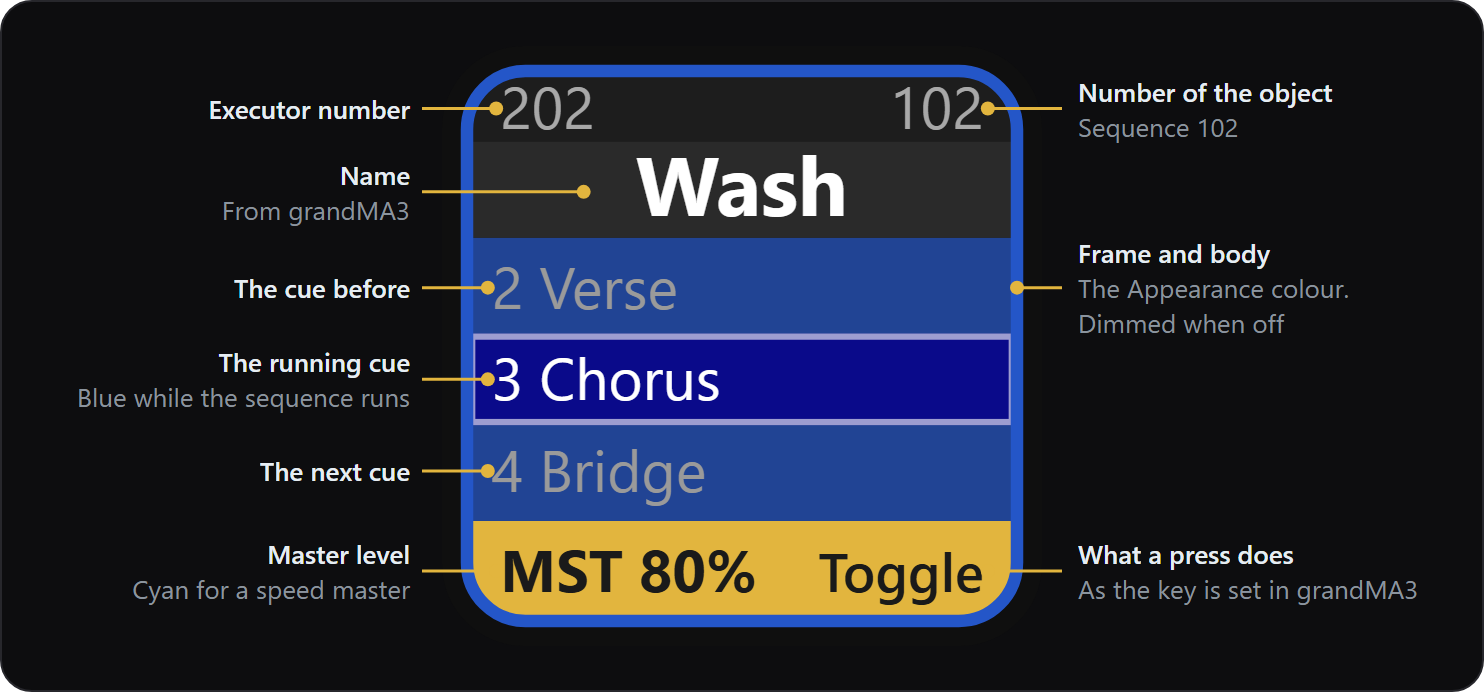
Playbacks, drawn as grandMA3 draws them
An executor on a key shows what the playback window shows. Pressing it does whatever that key is set to in grandMA3: Go+, Flash, Toggle, Temp.
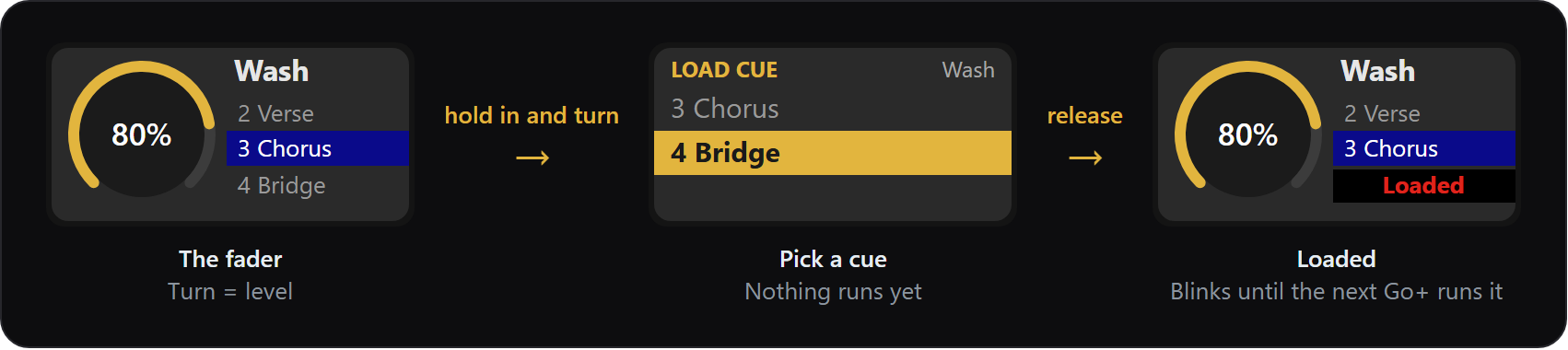
Faders with their cue list
On a Stream Deck +, a Fader dial holds an executor's master and lists its cues beside the knob. Hold the dial in and turn to pick a cue; release to load it for the next Go+.
Programmer encoders
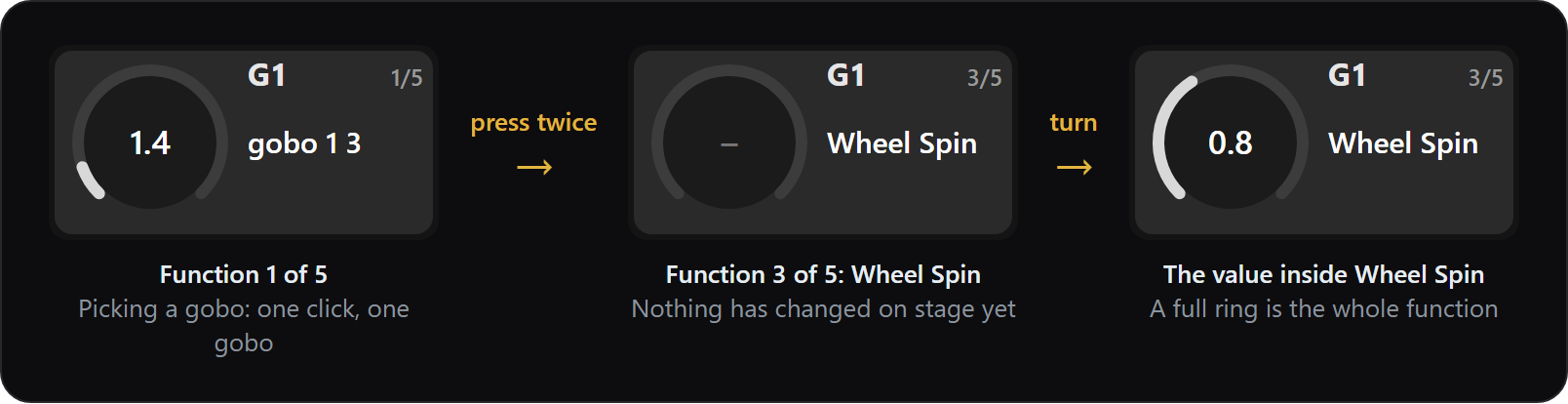
An Encoder dial left empty follows the feature group selected in grandMA3. Hold and turn to fine-adjust; press for the attribute's next function.
What your Stream Deck model gets
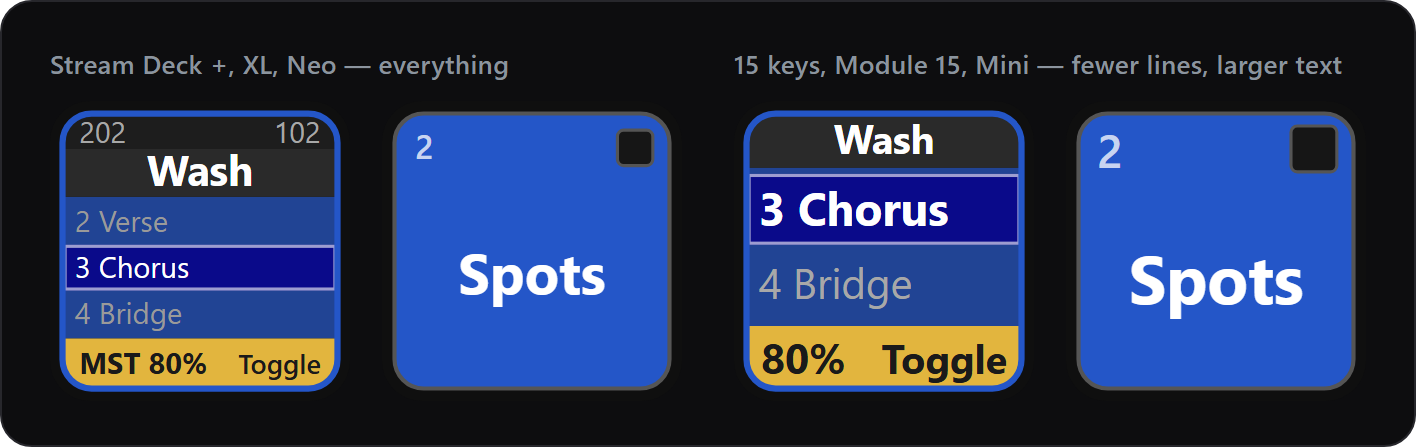
Not every Stream Deck can show or do everything. The keys differ in size, and only the Stream Deck + has dials and a touch strip.
| Stream Deck + | XL, Neo | 15 keys, Module 15, Mini | |
|---|---|---|---|
| Key size | 120 px | 96 px | 72–80 px |
| Keys | Everything | Everything | Fewer lines, larger text |
| Dials and touch strip | Yes | No | No |
| Starter profile in the download | CueDeck Plus | CueDeck XL, CueDeck Neo | CueDeck 15, CueDeck Mini |
The pictures on this page are drawn by the plugin, playing a made-up show.
Know before you buy
- Windows or macOSThe computer the Stream Deck plugs into runs Windows 10 or newer, or macOS 13 or newer. CueDeck is developed on Windows, and on macOS it has not been tried yet. The grandMA3 it controls can be another computer, a Mac or a console.
- One networkIf grandMA3 runs on another machine than the Stream Deck, both must be on the same network.
- Plugins and grandMA3 updatesCueDeck runs as a plugin inside grandMA3. MA Lighting does not support third-party plugins, and a new grandMA3 version can require an update.
Changelog
Fetching the changelog from GitHub.
The changelog is kept on GitHub: all releases.
Issues and feature requests
Fetching the open issues from GitHub.
Kept on GitHub: all issues. Report a problem or ask for a feature.
Documentation and help
There is a guide for each Stream Deck model on the Builds shelf. The wiki has the install guide, every action with its settings, how to read the keys, and an FAQ. The GitHub repository holds the documentation and the issues, not the plugin itself.