Build guide
Two Stream Decks as a programming and playback surface
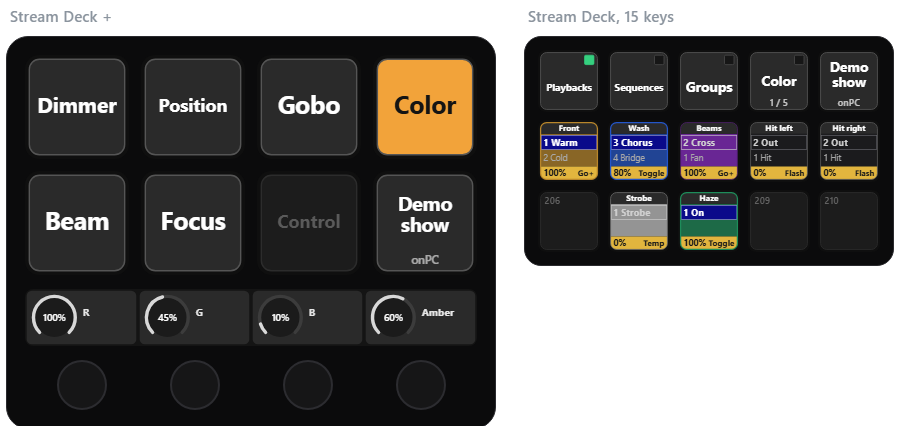
A Stream Deck + and a 15-key Stream Deck, set up for grandMA3 onPC with two of CueDeck's starter profiles.
- Surface
- Stream Deck + and a 15-key Stream Deck
- Console
- grandMA3 onPC, 2.5 or newer
- Software
- CueDeck
- Steps
- 3
What you end up with
Tap a picture to open it in full size.
A Stream Deck + with the feature groups on its keys and their attributes on its dials, and a 15-key Stream Deck with your playbacks, sequences, groups and presets. Both show the names, colours, running cues and levels that grandMA3 has right now.
The pictures are drawn by the plugin, playing a made-up show.
What you need
Two Stream Decks
Stream Deck +Its four dials and touch strip become encoders, faders and cue pickers.
Stream Deck, 15 keysA row of mode keys on top, ten keys below.
A computer
Windows 10 or newer, or macOS 13 or newer, with Elgato's Stream Deck software 7.1 or newer and CueDeck's Stream Deck plugin. On macOS, CueDeck has not been tried yet.
grandMA3 2.5 or newer
onPC on Windows or macOS, with CueDeck's grandMA3 plugin imported into the show.
Both plugins and the starter profiles come in one download. CueDeck is not on sale yet.
Optional: , a 3D-printed dock that holds a Stream Deck Module 15 and a Stream Deck + together on the right side of a Behringer X-Touch.
Three steps
-
Install the Stream Deck plugin
Double-click
app.cuedeck.streamDeckPlugin. The actions appear under CueDeck in the Stream Deck software. -
Start the plugin in grandMA3
Copy
CueDeck.xmlandCueDeck.luato grandMA3's plugin folder, import CueDeck into an empty object in the Plugins pool, and tap it. Tap it once more, choose Turn autostart on, and save the show. -
Import the profiles
Double-click
CueDeck Plus.streamDeckProfileandCueDeck 15.streamDeckProfile. Each is added as a new profile; your own profiles are not changed.
There is no OSC to configure and there are no IP addresses to type in. The two plugins find each other by themselves.
CueDeck Plus, on the Stream Deck +
Five pages. Swipe the touch strip to change page.
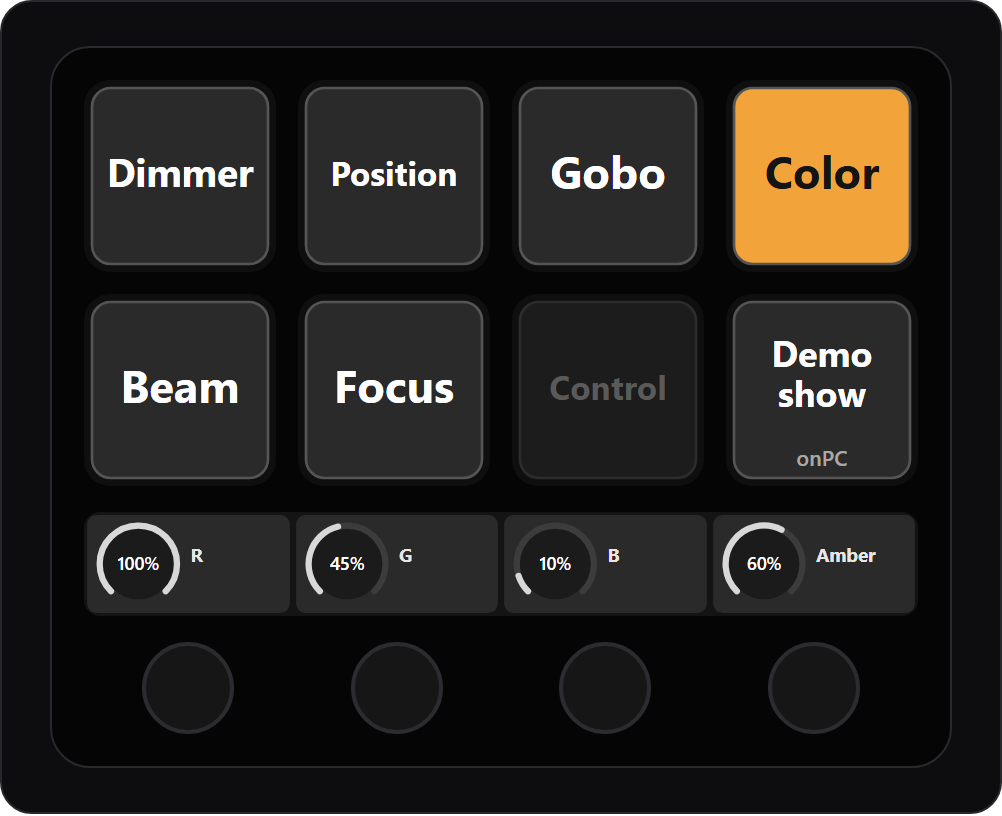
Encoder
The feature groups on the keys, their attributes on the dials. Press a feature key again for its next page; press a dial for the attribute's next function.
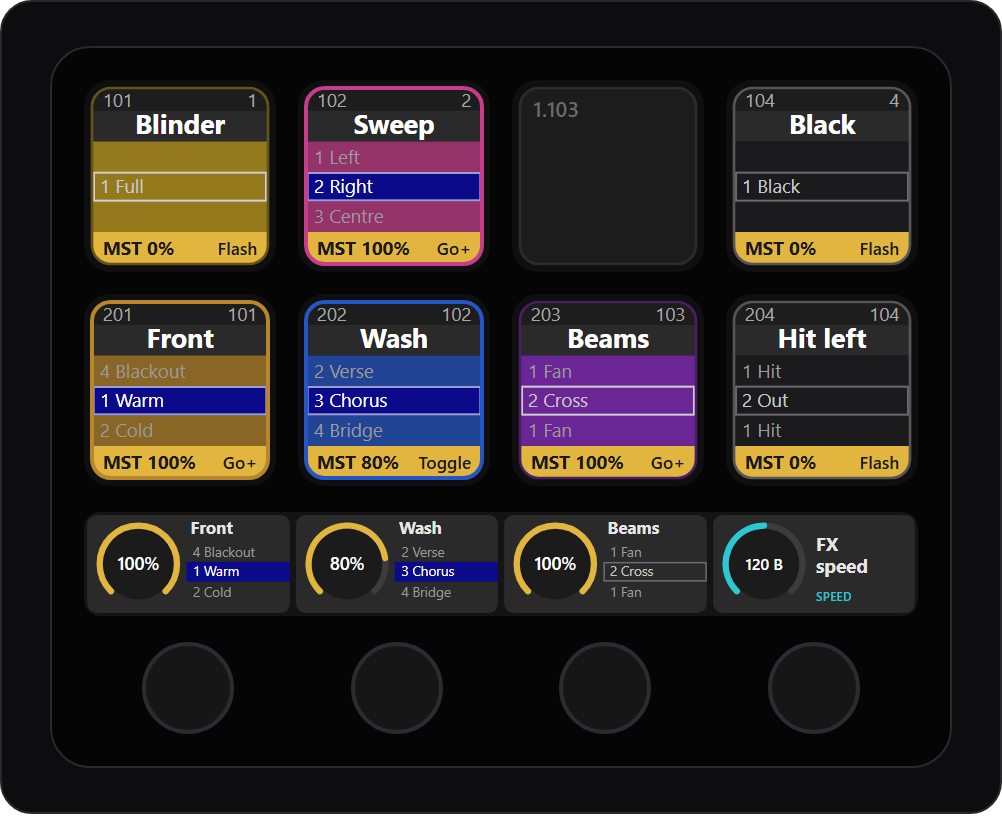
Playbacks
Executors 101–104 and 201–204 on page 1, and the faders of 201–204. Hold a dial in and turn to pick a cue.
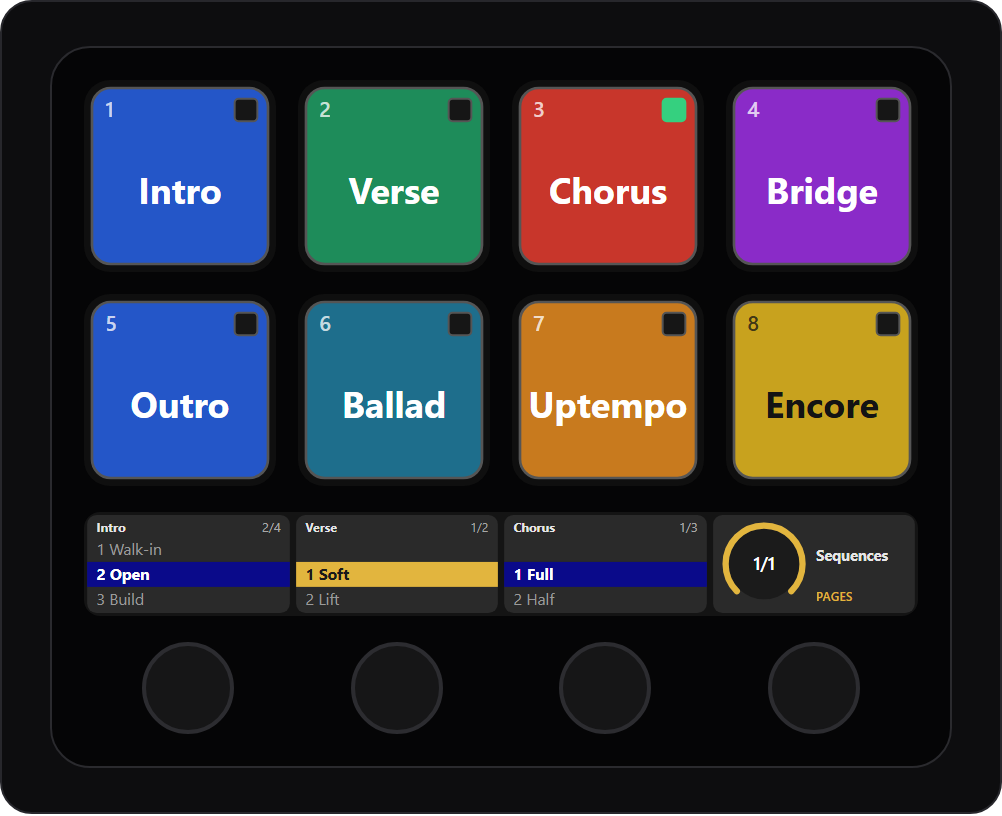
Sequences
Sequence 1–8: press is Go+, long press is Off. Cue Pickers for Sequence 1–3. Dial 4: hold in and turn to scroll to 9–16.
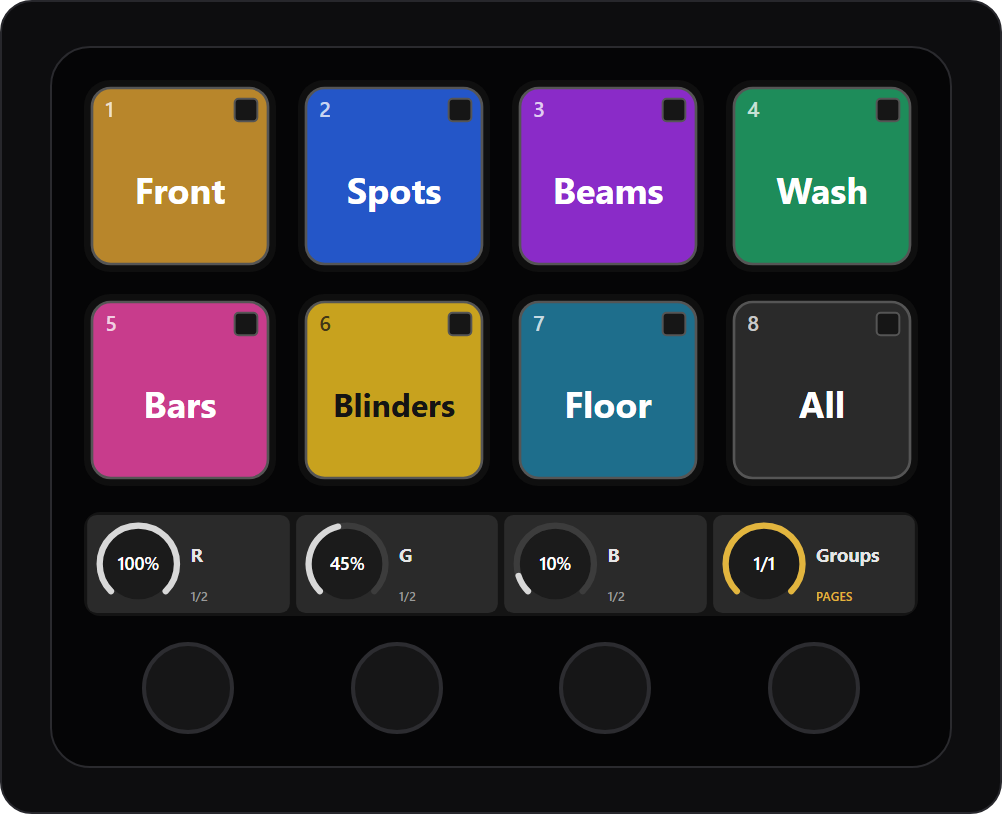
Groups
Group 1–8, and attributes on dials 1–3. Dial 4: hold in and turn to scroll.
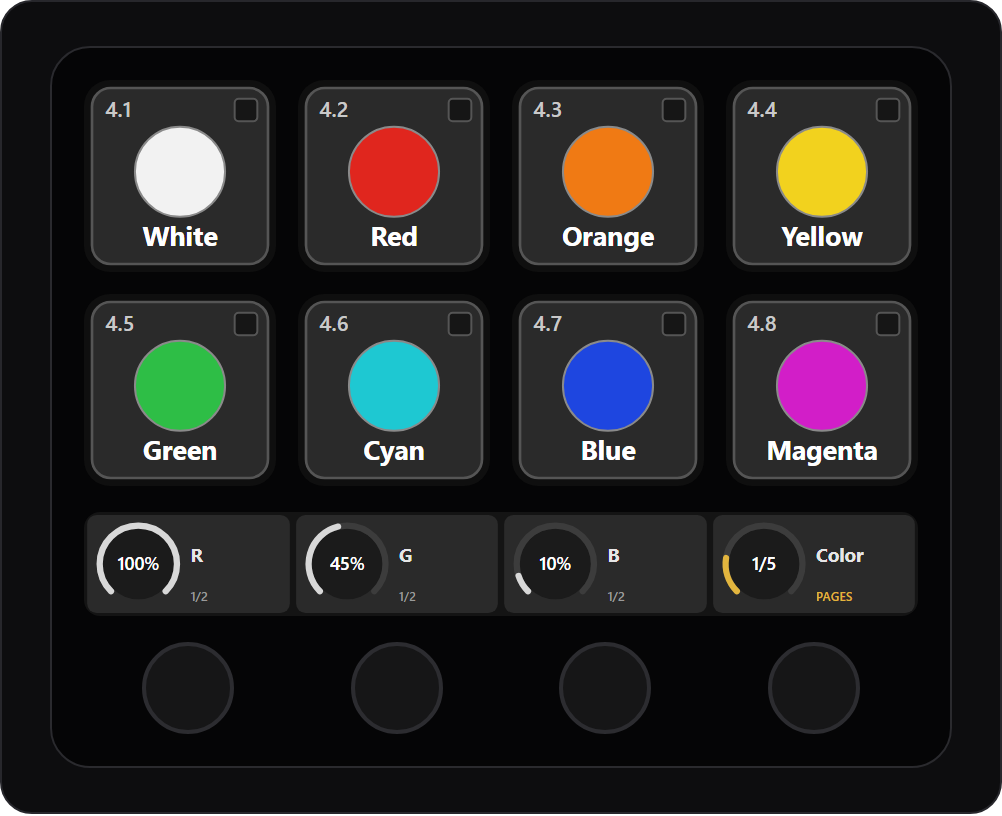
Pools
Presets. Dial 4 picks the pool: Color, Position, Gobo, Beam, Dimmer.
Other numbers in your show?
The numbers are only where the profiles start, and each start number is written in one place. Starter profiles shows where.
CueDeck 15, on the 15 keys
One page. The top row picks what the ten keys below show: Playbacks, Sequences, Groups or presets. The last key in the row is the Connection key.
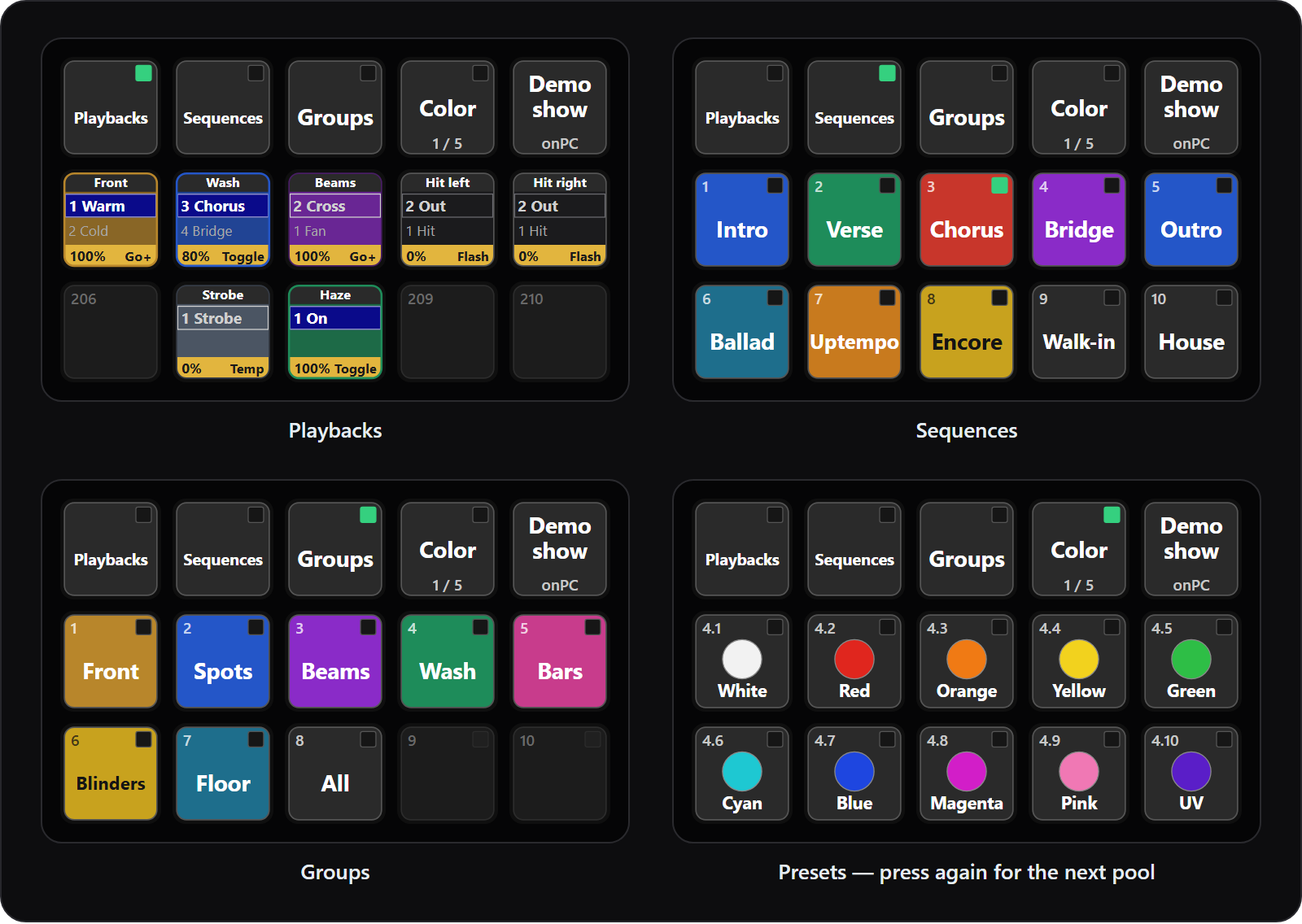
Make it yours
The starter profiles are a working example to begin from, and nothing in them is tied to a particular show. Every CueDeck action is a building block. Change the profiles like any other, or drag the actions onto your own pages.
Good to know
- Plugins and grandMA3 updatesCueDeck runs as a plugin inside grandMA3. MA Lighting does not support third-party plugins, and a new grandMA3 version can require an update.
- Windows or macOSThe computer the Stream Decks plug into runs Windows 10 or newer, or macOS 13 or newer. On macOS, CueDeck has not been tried yet. The grandMA3 it controls can be another computer, a Mac or a console on the same network.