Guide · Stream Deck +
The programming deck
Eight keys that pick what you work on, and four dials that do the work. Swipe the touch strip to change page.
Import the starter profile first
This guide follows the CueDeck Plus starter profile. It comes with CueDeck, which is not on sale yet.
- Deck
- Stream Deck +
- Starter profile
- CueDeck Plus
- Best at
- Programming: encoders, faders with their cue lists, cue pickers
1. Programme with the dials
Tap a picture to open it in full size.
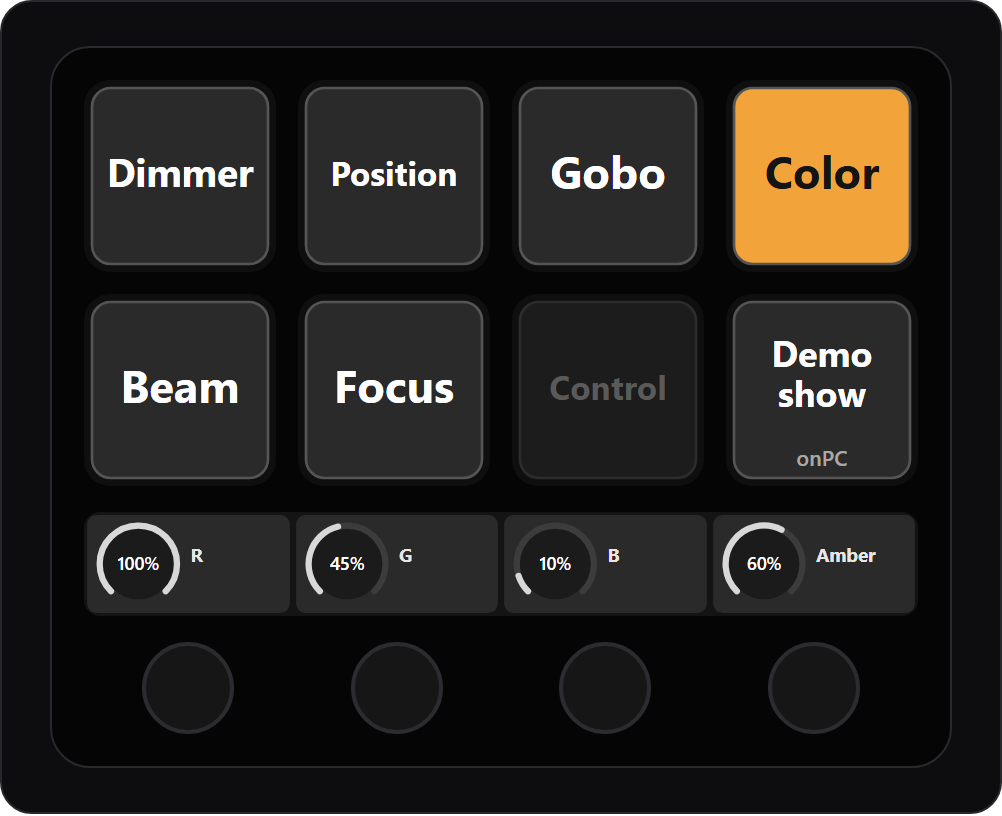
- Select fixtures in grandMA3.
- Press a feature key: Color, Position, Gobo. The dials show that group's attributes.
- Turn. Hold the dial in while you turn for fine adjust.
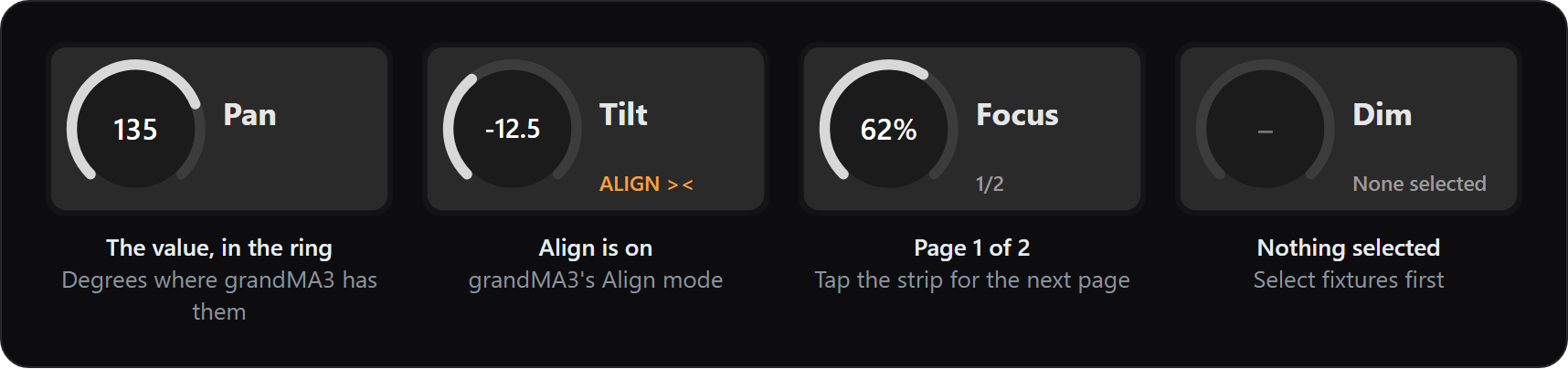
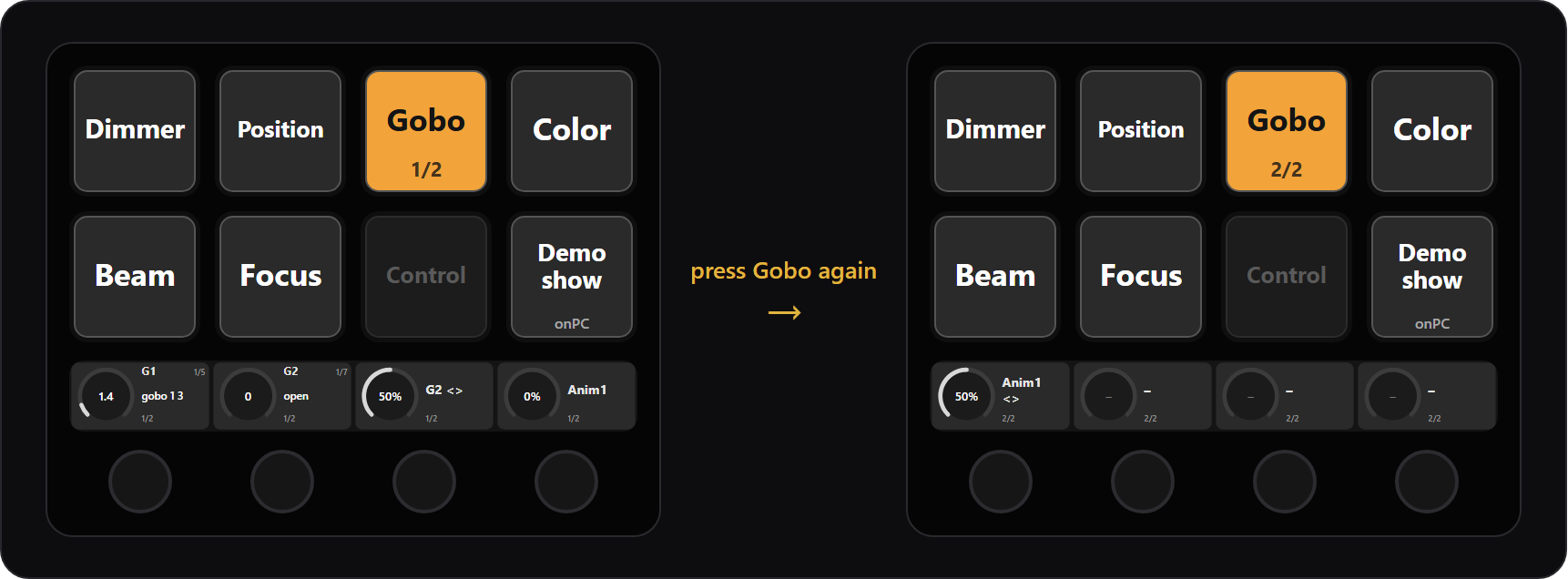
More attributes than dials?
Press the feature key again.
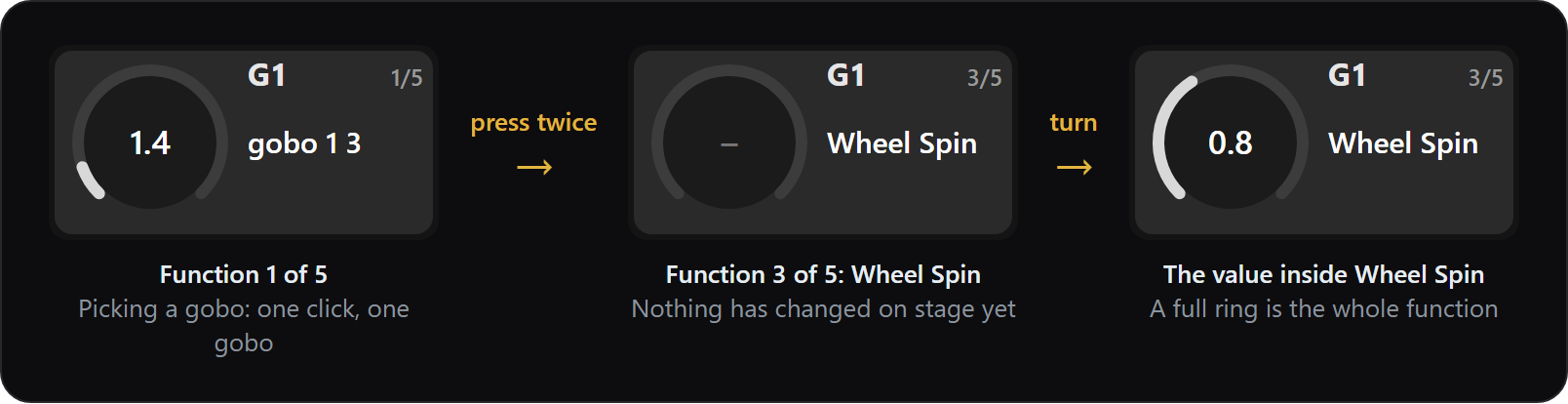
Wheel Spin, Wheel Shake and the like?
Press the dial to step through the attribute's functions, then turn.
2. Run the show
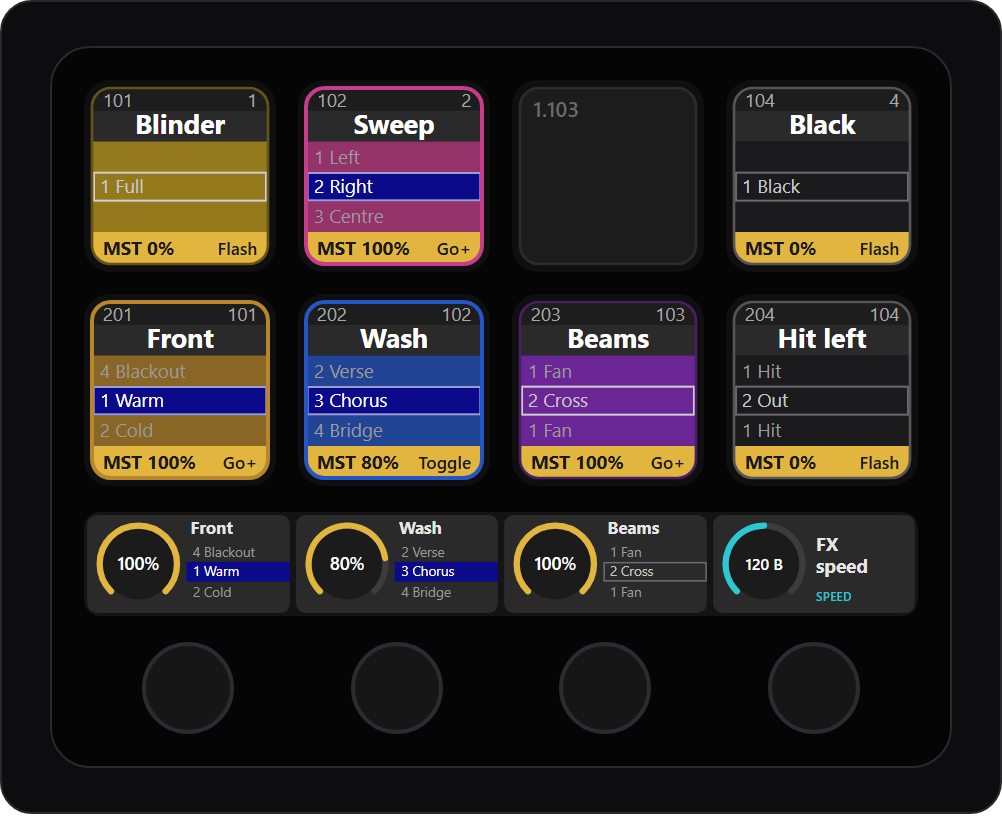
The keys are executors 101–104 and 201–204; a press does what that key is set to in grandMA3. The dials are the faders of 201–204.
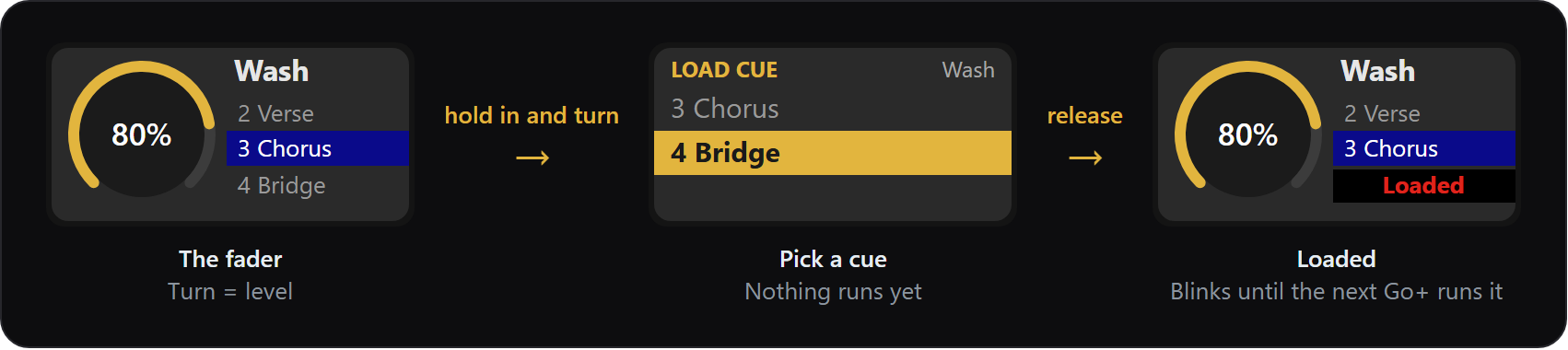
On a fader dial
- Turn
- The level
- Press
- Off, and back to where it was
- Hold in and turn
- Pick a cue; release to load it
3. Step through a cue list
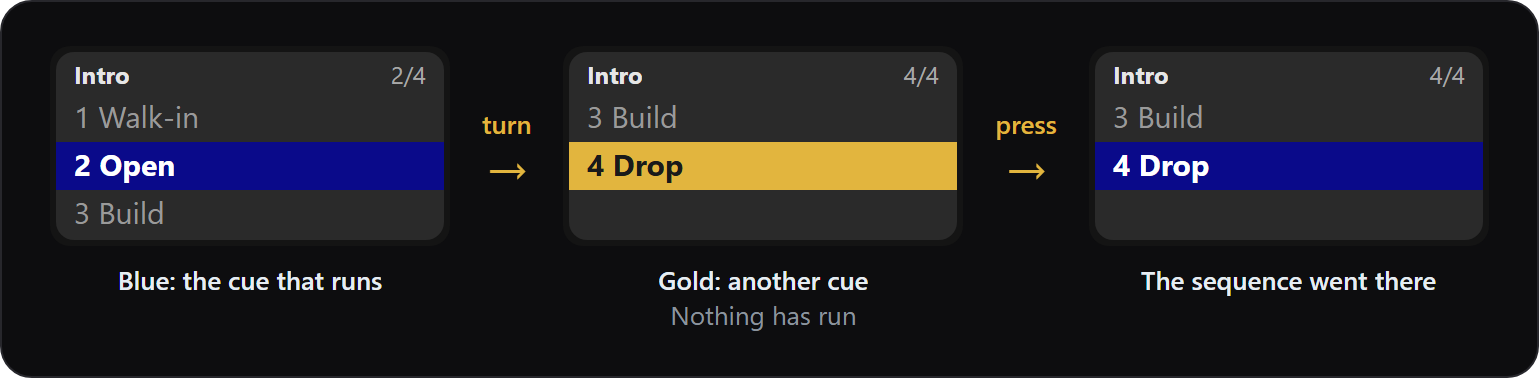
On the Sequences page, dials 1–3 are Cue Pickers: scroll without running anything, press to go there.
4. Groups and presets
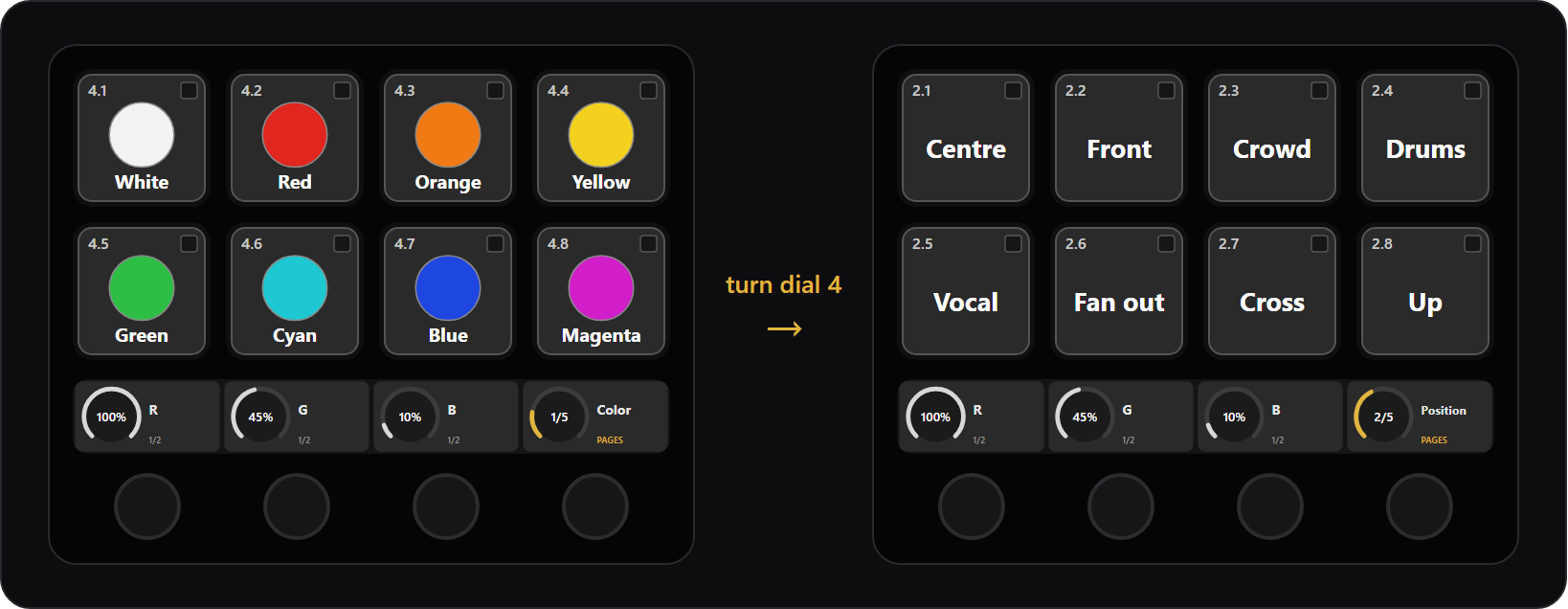
On the Groups and Pools pages the keys show the show's own groups and presets. Dial 4 is the Page Wheel: turn it to change what the keys show; hold it in and turn to scroll further.
Make it yours
- Other executor, sequence or preset numbersStarting on other numbers, in the wiki.
- A key that always flashes or always togglesThe Press setting of a Slot.
- Everything a dial can doDials, in the wiki.